How to choose the right photo for an engraved gift
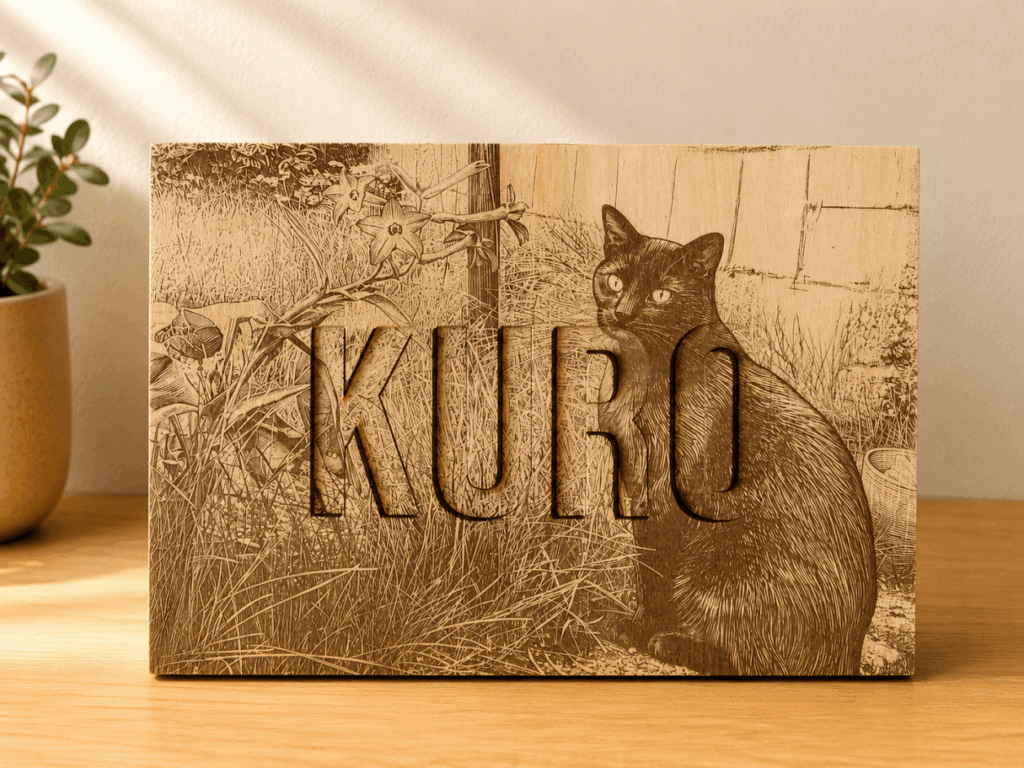
The best personalised gifts start with a photo that means something. It does not have to be perfect, but a few small choices make a big difference to how it looks once it is engraved or printed.
Pick a photo with a clear subject
Faces, pets and single subjects work best. A photo where the person or pet fills a good part of the picture will show more detail than one taken from far away.
Look for good light and focus
A photo taken in daylight, with the subject in focus, gives the cleanest result. Very dark, blurry or heavily filtered photos lose detail when they are made into a keepsake.
Send the original file
Use the original photo from your phone or camera if you can, rather than one saved from social media or a messaging app. Use the original full-resolution file rather than a screenshot; file size alone does not guarantee that a picture is sharp.
Think about the background
A simple background keeps the focus on the subject. If your favourite photo has a busy background, mention it in your order notes and I will do my best with it.
Choose the size before you crop
On a GlennCraft product page, select the print size or pack first. The photo preview can then use the right shape. A round 10 cm coaster needs a different crop from a rectangular 5.5 × 7.5 cm magnet, so keep faces and important details away from the edges.
Use “Keep full photo” when preserving the whole picture matters. “Fill shape” fills the print area but can crop the edges. Check each preview before adding the item to your basket. The preview shows positioning, rather than an exact colour or material proof.
Engraved photos or full-colour printing?
An engraving creates the picture through detail and tone on the material. UV printing keeps the colour in your original photograph. If the colour is an important part of the memory, compare photo prints on wood with wooden photo engravings before choosing.
Using different pictures in a pack
For photo coasters and magnets, choose the pack size and then select the same photo for all items or a different photo for each. A matching personalised gift set can also use one photograph across the set, with individual changes where needed.
Not sure if your photo will work?
Try the Check My Photo tool. It shows your photo's size and quality and which keepsakes it suits, and your photo stays on your device. You can also see ideas on the Start With Your Photo page, or browse the Photo Gifts and Engraved Gifts.
If you are unsure, add a note when you order or send me a message. You do not need a perfect photo to get started.
Choosing a coaster or magnet pack?
Read the photo coaster and fridge magnet guide for the exact sizes, pack options and how to upload a different picture for each item.